
 English
 Arabic
 Chinese (Simplified)
 Dutch
Dutch French
 German
 Italian
 Portuguese
 Russian
 Spanish
I started this comparison because I was tired of fighting aggressive pop-ups, auto-playing video ads, and dark-pattern download buttons just to generate a simple product mockup. After one particularly frustrating session on a site that tried to install a browser extension without asking, I decided to systematically search for AI image platforms where the interface respects your time and focus.
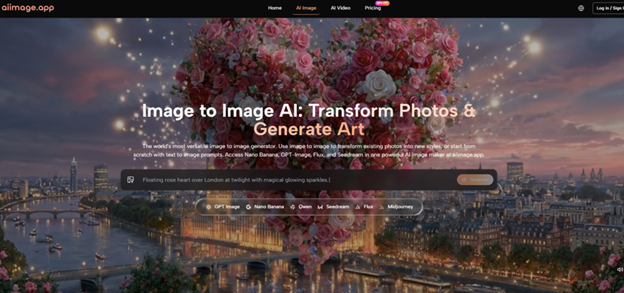
That direction led me to spend serious testing hours on six different tools, and one of the first that genuinely felt different was AI Image Maker. The landing page loaded without a single bouncing modal, which is rarer than it should be in this corner of the internet, and that quiet first impression stuck long enough to make me build an entire comparison around distraction-free workflows.
Before this test, I had used a mix of free AI image generators, often clicking through search results and closing tabs faster than I opened them. Half my time was wasted bouncing between a standard image search, reverse image search, face search app just to figure out where a reference photo actually came from before utilizing it.
The pattern was predictable: a prominent “generate” button surrounded by banner ads for VPNs or crypto wallets, misleading download links disguised as the real output, and image resolutions so compressed that using them for anything beyond a thumbnail felt risky.
Over time, I developed a checklist of red flags. If a site pushed a newsletter pop-up before showing a single result, I left. If it auto-scrolled to a pricing table mid-generation, I left. If it blurred the output and asked me to “complete a quick survey,” I left. The cost was never just about money; it was about the mental load of navigating interfaces that felt designed to trick rather than assist.
To make this test useful for others who have developed the same low tolerance for attention-robbing interfaces, I chose six platforms that appear frequently in online recommendations and ran the same set of prompts through each one. The prompts covered realistic product photography, flat-lay social media visuals, and stylized character portraits.
I did not just look at image quality; I measured how many ads or upsell prompts interrupted the flow, how many seconds passed from prompt to result, and how much visual clutter surrounded the canvas. The six I tested were AIImage.app, Midjourney via Discord, Leonardo AI, Canva AI’s image generator, Freepik AI, and Playground AI. All were accessed from a standard broadband connection on the same afternoon, with no account-level priority boosts.
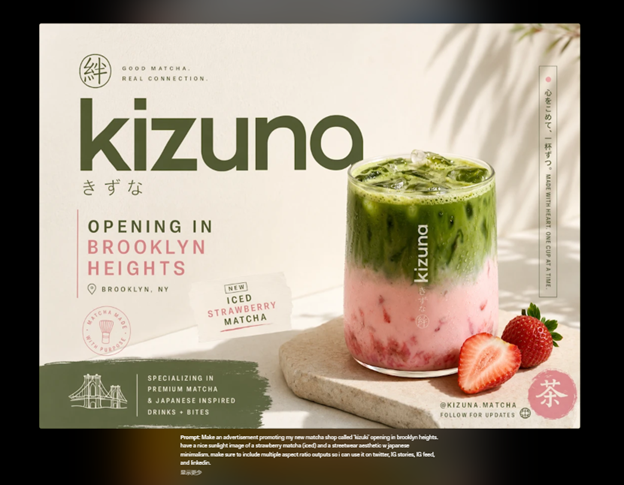
Early in my session on AIImage.app, I wanted to see whether the lack of distraction came at the expense of output control. The platform positions GPT Image 2 as a model suited for more structured and detailed image generation, so I ran several prompts that demanded accurate object relationships: a ceramic pour-over coffee dripper on a wooden scale with a specific shadow direction, for example, and a layered cocktail in clear glass with visible condensation.
What I noticed was that the images held together structurally on the first or second attempt, and I did not have to dodge banner ads or count down my “free daily creations” just to iterate. That absence of friction made the testing session feel longer in a good way, because I stayed in the creative flow instead of being yanked out of it every few minutes.
The comparison side of this test quickly revealed how radically different the ad and clutter experience can be. Freepik AI’s generator lived inside a broader resource marketplace, and although the output quality was decent, the page pushed premium subscriptions at every step. Canva AI’s generator, while integrated into a polished design editor, still layered enough UI panels that I occasionally lost track of where my prompt field was. Playground AI showed moderate ad interference, balanced by a reasonably clean canvas, but the free tier nag screens made extended use feel like borrowing time.
Leonardo AI offered a focused creation environment with a token system, and I found the canvas fairly clean, yet the sidebar upsells and feature gating created a background hum of commercial pressure. Midjourney on Discord is a different category altogether: no traditional ads, but the real-time chat stream qualifies as social noise, and for someone who wants total visual quiet, scrolling past dozens of generated images from strangers to find your own result can feel like a different kind of distraction.
Here is the raw comparison across the dimensions that matter most when you are trying to concentrate on visual output rather than interface survival. The scores reflect my direct experience across ten prompts per platform.
| Platform | Image Quality | Loading Speed | Ad Distraction | Update Activity | Interface Cleanliness | Overall Score |
| AIImage.app | 9.0 | 9.2 | 9.3 | 8.8 | 9.4 | 9.1 |
| Midjourney | 9.5 | 8.4 | 7.5 | 9.3 | 7.0 | 8.3 |
| Leonardo AI | 8.9 | 8.6 | 7.8 | 8.9 | 8.2 | 8.5 |
| Canva AI | 7.8 | 7.9 | 6.5 | 8.5 | 7.5 | 7.6 |
| Freepik AI | 8.0 | 7.5 | 6.0 | 8.2 | 6.8 | 7.3 |
| Playground AI | 8.2 | 8.0 | 7.2 | 8.0 | 7.8 | 7.8 |
For Image Quality, Midjourney still produces the most aesthetically luminous single images in the group, and that is reflected in its top score. AIImage.app sits close behind with a look that felt more contained and reproducible, which matters when you need consistency rather than one stunning outlier.
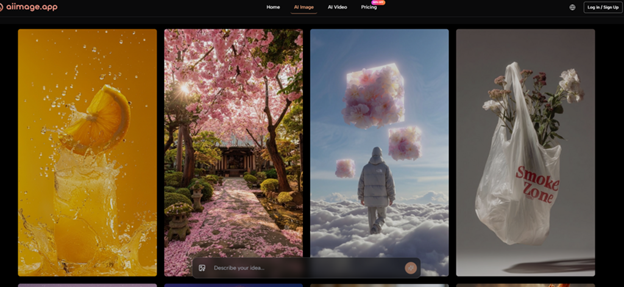
Loading Speed was led by AIImage.app in my tests, with generation times consistently under ten seconds and no queuing delays on the free access path. Ad Distraction and Interface Cleanliness clearly separated AIImage.app from the pack; the near absence of promotional noise and the deliberate negative space around the canvas made a measurable difference over a multi-hour session.
When I mapped the real-world usage flow on AIImage.app, it reduced to a sequence that felt unusually linear. First, I opened the platform and decided whether I needed an image from scratch, an edited version of an existing upload, or a movement-oriented visual from a still frame.
7 Learning Strategies for Adults That Actually Help Progress
Then I composed a prompt that described the subject, setting, lighting, and intended use, or uploaded a reference image when the goal was style transfer or recomposition. After that, I selected an available AI image or video model that matched the output type, often choosing the one suited for structured photorealism when accuracy mattered most. Finally, I generated the result, reviewed it against the original brief, and either downloaded the full-resolution file or returned to edit the prompt and model selection until the output felt right.
What kept me coming back to AIImage.app across multiple testing days was not that it produced images that looked dramatically different from what the other tools could do under ideal conditions. It was that the process of getting to a usable result involved fewer apologies to myself.
I did not have to close a pop-up, ignore a countdown timer, or mentally filter out surrounding visual noise. I could open the site, type, generate, evaluate, and repeat until the image matched what I had in my mind. That sounds small, but over dozens of iterations it accumulates into something that feels like respect for the time spent.
This platform is not for someone who wants the equivalent of a standalone art statement from every prompt and is willing to navigate a complex community or premium ecosystem to get it. It is also not the obvious choice if your workflow relies on deep integration with a design suite like Adobe’s, where off-platform consistency matters more than interface cleanliness.
But for a researcher, a content strategist, a marketer, or a product designer who needs visually trustworthy outputs in a setting that does not feel like a shopping mall, AIImage.app sat in a comfortable middle ground that proved hard to match. The absence of watermarks and the unbothered commercial-use positioning, mentioned conservatively on the official site, added a layer of practical reassurance for anyone who needs to place those images into client-facing materials without additional licensing steps.
Testing these platforms side by side did not reveal a flawless winner across every dimension, because no such tool exists yet. But if the question is which environment lets you stay close to the creative task without interface friction pulling you away, then the answer is clearer than I expected. A clean canvas and a quiet page are not luxury features; they are the baseline that tools in this category should have been meeting from the start.