
 English
 Arabic
 Chinese (Simplified)
 Dutch
Dutch French
 German
 Italian
 Portuguese
 Russian
 Spanish
To use multimedia in your classroom effectively, choose audio, video, images, interactive tasks, and digital tools that support the lesson goal. Multimedia should not be used only to make a lesson look more exciting. It should help students understand, practise, remember, discuss, and use what they are learning.
Multimedia can make a classroom more engaging, but only when it is used with purpose. A video clip, song, image, quiz, or interactive activity can help students learn faster when it supports the topic clearly. But if multimedia is too long, too noisy, too complicated, or not connected to the lesson, it can become a distraction.
For English learners, multimedia is especially useful because language is not only written. Students need to hear pronunciation, see context, notice body language, understand tone, and practise communication in real situations.
This guide explains how to use multimedia in your classroom in a way that supports learning, keeps students focused, and helps teachers create better lessons.
Multimedia in Your Classroom & It Is Important
Multimedia in your classroom matters because students learn through different types of input. Some students understand better when they hear something. Others need to see an image, watch a situation, read text, repeat a phrase, or interact with the content.
Good multimedia can help teachers:
- introduce new vocabulary
- show real-life context
- support listening practice
- explain difficult topics visually
- make lessons more memorable
- create discussion
- practise pronunciation
- review grammar
- support different learning styles
- increase student participation
However, multimedia should always serve the learning goal. The question should not be:
“Can I add a video?”
The better question is:
“Will this video help students understand or practise the lesson better?”
That small difference changes everything.
UNESCO’s work on technology in education highlights the importance of using education technology carefully and with attention to relevance, equity, scalability, and sustainability. In other words, technology should support learning, not replace good teaching.
What Counts as Multimedia in the Classroom?
Multimedia means using more than one type of media to support learning.
In the classroom, multimedia can include:
- videos
- audio clips
- songs
- podcasts
- images
- infographics
- slides
- subtitles
- animations
- interactive quizzes
- digital flashcards
- online whiteboards
- voice recordings
- student-created videos
- classroom polls
- AI-supported practice
- digital worksheets
- pronunciation tools
Multimedia does not need to be complicated. A simple image, short audio clip, or three-minute video can be more effective than a long, overloaded presentation.
The goal is clarity, not decoration.
Start with the Lesson Goal, Not the Tool
One of the most common mistakes teachers make is starting with the tool.
For example:
“I found a great video. How can I use it?”
A better approach is:
“My students need to practise giving opinions. What type of media will help them do that?”
Start with the learning goal first.
Ask yourself:
- What do I want students to learn?
- What do I want students to do?
- Will multimedia help them understand this better?
- Will it create useful speaking, writing, listening, or reading practice?
- Is the media appropriate for their level?
- Is it short enough to keep attention?
- Can all students access it?
This helps you choose multimedia that improves the lesson instead of adding noise.
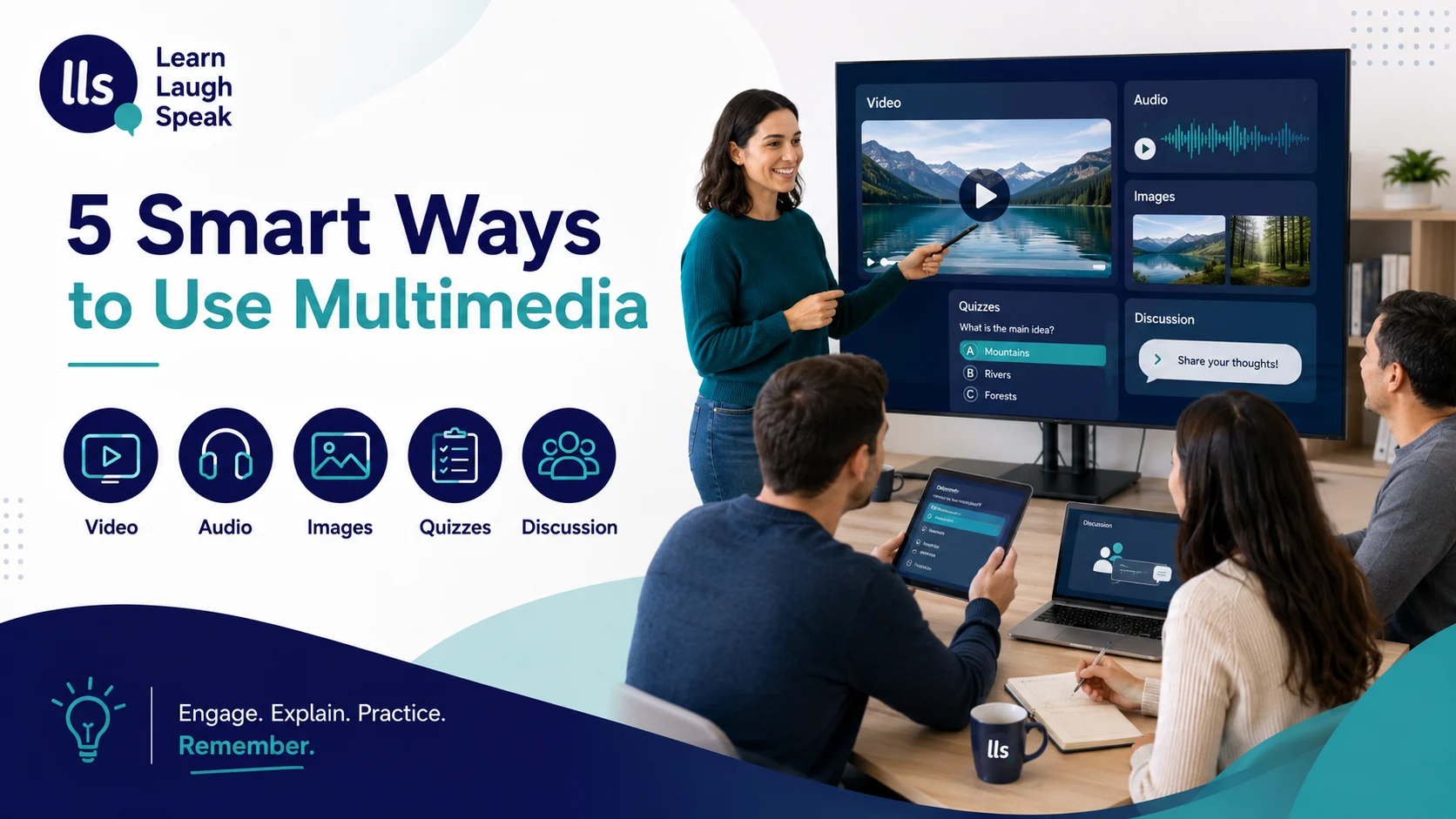
1. Use Short Videos with a Clear Purpose
Video is one of the most powerful forms of multimedia in your classroom, especially for language learning. Students can hear pronunciation, see facial expressions, notice gestures, and understand context.
But videos need structure. Playing a long video and asking students to “pay attention” is usually not enough.
A better classroom method is:
Before watching
Introduce key vocabulary.
Ask a prediction question:
“What do you think this conversation will be about?”
During watching
Give students one clear task.
For example:
“Listen for three phrases the customer uses.”
or:
“Write down the problem in the conversation.”
After watching
Use the video for discussion, role-play, writing, or review.
Example:
“Now practise the same conversation with a partner.”
Short video clips are usually more effective than long ones. Edutopia’s guidance on teaching with video also recommends giving videos a clear purpose and treating them like a text students actively analyse, not something they passively watch.
2. Use Audio to Improve Listening and Pronunciation
Audio is excellent for English learners because it trains the ear. Students need to hear English often, especially natural rhythm, stress, intonation, weak forms, and connected speech.
Audio can be used for:
- listening comprehension
- pronunciation practice
- dictation
- shadowing
- vocabulary review
- dialogue practice
- accent exposure
- storytelling
- workplace English practice
A simple audio activity:
- Play a short clip once for general meaning.
- Play it again and ask students to write key words.
- Show the transcript.
- Ask students to underline phrases they missed.
- Practise saying the phrases out loud.
For example:
“Could you repeat that, please?”
“I’m not sure I understand.”
“Let me check and get back to you.”
Students should not only listen. They should listen, notice, repeat, and use the language.
3. Use Images to Create Discussion
Images are simple, but they can be very powerful. A strong image can start a conversation faster than a long explanation.
Teachers can use images to:
- introduce vocabulary
- describe people, places, or situations
- practise grammar
- predict a story
- compare ideas
- explain emotions
- practise speaking
- support writing activities
For English classes, images work well with questions like:
What can you see?
What do you think is happening?
How does the person feel?
What might happen next?
What would you say in this situation?
For example, show an image of a customer talking to a hotel receptionist.
Students can practise:
“How can I help you?”
“I’m sorry about the delay.”
“Let me check that for you.”
“Thank you for your patience.”
This connects visual context with real English.
4. Use Infographics to Simplify Complex Information
Infographics are useful when students need to understand steps, categories, comparisons, or processes.
They work well for topics like:
- grammar rules
- vocabulary groups
- pronunciation tips
- workplace phrases
- learning strategies
- conversation steps
- writing structure
- customer service process
For example, instead of explaining email structure only through text, you can show an infographic with:
- Greeting
- Reason for writing
- Main message
- Action needed
- Polite closing
This helps students see the structure quickly.
Infographics are also useful for review. Students can return to them after the lesson and remember the main points.
5. Multimedia in Your Classroom With Quizzes
Interactive quizzes can make review more active. Tools like digital polls, quiz apps, or classroom response systems allow students to answer questions quickly and see results.
They are useful for:
- vocabulary checks
- grammar review
- listening comprehension
- warm-up activities
- exit tickets
- exam preparation
- confidence building
But the quiz should not only be for fun. It should show what students understand and what needs review.
Example quiz questions:
Which phrase is more polite?
A. Give me the report.
B. Could you send me the report, please?
Which sentence is correct?
A. She go to work every day.
B. She goes to work every day.
After the quiz, review the mistakes. That is where the learning happens.
6. Use Student-Created Multimedia
Multimedia does not always need to come from the teacher. Students can create it too.
This can include:
- short videos
- voice recordings
- digital posters
- simple presentations
- photo stories
- role-play recordings
- vocabulary slides
- pronunciation clips
- group projects
Student-created multimedia helps learners become active, not passive.
For example, students can record a short customer service dialogue:
Student A: “Good morning. How can I help you?”
Student B: “I’d like to ask about my reservation.”
Student A: “Of course. Can I have your name, please?”
Then students listen back and check:
- pronunciation
- clarity
- grammar
- confidence
- useful phrases
This is especially helpful for English learners because it gives them a chance to notice their own speaking.
7. Use Multimedia for Real-Life English Situations
Multimedia works best when it connects to real situations students may face outside class.
For adult English learners, useful situations include:
- job interviews
- meetings
- customer service
- shopping
- phone calls
- hotel conversations
- emails
- presentations
- workplace problems
- travel situations
- giving feedback
- asking for help
For example, instead of teaching vocabulary from a random list, use a short video or image of a workplace meeting.
Then teach phrases like:
“Can I add something?”
“I agree with that point.”
“Could you clarify that?”
“Let’s confirm the next steps.”
This makes the language useful immediately.
How to Choose the Right Multimedia Tool
Before using multimedia in your classroom, check whether the tool is suitable.
Use this simple checklist.
| Question | Why it matters |
|---|---|
| Does it support the lesson goal? | Keeps the activity focused |
| Is it the right level? | Avoids confusion or boredom |
| Is it short enough? | Keeps attention |
| Is the sound clear? | Supports listening |
| Is the image or video quality good? | Avoids distraction |
| Is it accessible to all students? | Supports fair learning |
| Does it lead to practice? | Turns media into learning |
| Can students respond or create something? | Encourages active learning |
If the multimedia does not improve the lesson, do not use it.
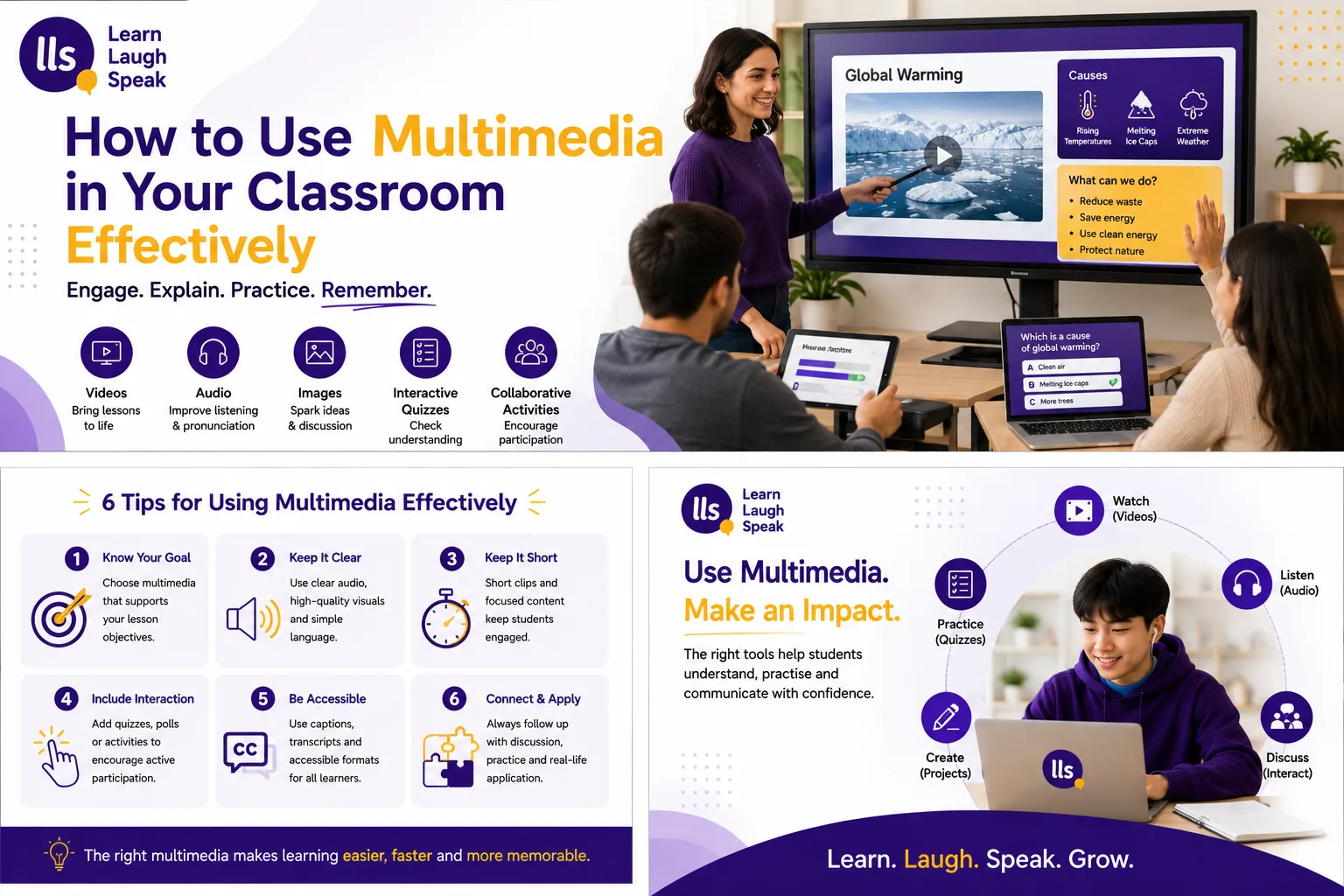
Keep Multimedia Short and Focused
Students do not need long videos, overloaded slides, or complicated animations to learn.
Often, less is better.
Use:
- short clips
- clear images
- simple slides
- focused questions
- short audio
- one main task
- clear instructions
For example, a two-minute video with a strong speaking task can be better than a twenty-minute video with no purpose.
A good rule is:
Use the smallest amount of media needed to support the learning goal.
Multimedia in Your Classroom: Make Accessible
Accessibility matters. Not every student learns in the same way, and not every student has the same needs.
When using multimedia, consider:
- subtitles for video
- transcripts for audio
- clear font size
- strong contrast
- simple slide design
- readable images
- alternative text for images
- captions where possible
- audio volume
- students with hearing or visual needs
- students with slower processing speed
The Universal Design for Learning approach encourages teachers to provide multiple ways for learners to engage, understand, and express what they know. This is useful when planning multimedia because it reminds teachers that one format does not work equally well for everyone.
Multimedia in Your Classroom: Avoid Overload
Multimedia overload happens when there is too much happening at the same time.
For example:
- a busy slide
- background music
- moving animations
- too many colours
- long text
- video playing
- teacher speaking
- students trying to write notes
This can make learning harder, not easier.
To avoid overload:
- use one main media type at a time
- remove unnecessary decoration
- pause videos for discussion
- give clear tasks
- keep slides simple
- avoid too many colours
- allow thinking time
- use text and visuals together carefully
Good multimedia should make learning clearer.
Multimedia in Your Classroom for English Learners
For English learners, multimedia should support all four language skills:
listening, speaking, reading, and writing
Here is how.
| Skill | Multimedia activity |
| Listening | Short audio clips, dialogues, podcasts, video conversations |
| Speaking | Role-play videos, voice recordings, pronunciation tools |
| Reading | Infographics, subtitles, digital texts, captions |
| Writing | Image prompts, video summaries, email practice, digital worksheets |
A balanced lesson might look like this:
- Show an image to introduce the topic.
- Teach five useful phrases.
- Play a short audio or video.
- Ask students to answer simple questions.
- Students practise a role-play.
- Students write a short summary or message.
This uses multimedia to build real communication, not just entertainment.
Example Lesson: Multimedia in Your Classroom (Customer Service)
Lesson goal
Students will learn how to respond politely to a customer complaint.
Multimedia used
- one image of a customer service situation
- one short audio dialogue
- one slide with useful phrases
- one role-play activity
Step 1: Show the image
Ask:
“What problem do you think the customer has?”
Step 2: Teach phrases
Useful phrases:
“I’m sorry about that.”
“Let me check this for you.”
“Thank you for your patience.”
“I understand your concern.”
“Here is what we can do.”
Step 3: Play the audio
Students listen for the problem and the solution.
Step 4: Practise speaking
Students role-play the same situation with a partner.
Step 5: Write a short response
Students write a polite message to the customer.
This is effective because multimedia supports every step of the lesson.
Common Mistakes Teachers Make with Multimedia
1. Using video as a break instead of a lesson tool
A video should have a purpose, task, and follow-up activity.
2. Using too much media at once
Too much sound, text, and movement can overwhelm students.
3. Choosing content that is too difficult
If students cannot understand the media, they may stop engaging.
4. Forgetting to check sound and visuals
Poor sound or low-quality images can ruin an activity.
5. Not preparing students before the media
Students need vocabulary, context, and a clear task.
6. Not creating output after input
After watching or listening, students should speak, write, discuss, answer, create, or reflect.
A Simple Planning Formula for Multimedia Lessons
Use this formula:
Goal → Media → Task → Practice → Review
Goal
What should students learn?
Media
What audio, video, image, or tool will support that goal?
Task
What should students do while using the media?
Practice
How will students use the language after the media?
Review
How will you check understanding?
Example:
Goal: Learn polite phrases for asking for help
Media: Short dialogue video
Task: Students write down three polite phrases
Practice: Students role-play asking for help
Review: Students share one phrase and one correction
This keeps multimedia connected to learning.
How Learn Laugh Speak Uses Multimedia for English Learning
Learn Laugh Speak uses structured digital learning to help adult students practise English at the right level. Multimedia is useful because learners need more than written grammar explanations. They need to hear English, speak English, read English, write English, and receive corrections.
For English learners, multimedia can make lessons more real. Students can listen to pronunciation, practise speaking, review vocabulary, complete exercises, and build confidence step by step.
The goal is not just to add technology. The goal is to make English learning clearer, more practical, and easier to continue.
FAQs About Multimedia in Your Classroom
What is multimedia in the classroom?
Multimedia in the classroom means using different types of media, such as audio, video, images, text, quizzes, slides, and interactive tools, to support learning.
How can teachers use multimedia effectively?
Teachers can use multimedia effectively by connecting it to a clear lesson goal, keeping it short, preparing students first, giving a task, and using a follow-up activity.
Why is multimedia useful for English learners?
Multimedia helps English learners hear pronunciation, see context, understand body language, practise listening, build vocabulary, and use language in real situations.
What are examples of multimedia activities?
Examples include watching a short video, listening to a dialogue, describing an image, completing an interactive quiz, recording a role-play, or using an infographic to review grammar.
What is the biggest mistake when using multimedia?
The biggest mistake is using multimedia without a clear purpose. If it does not support learning, it can become a distraction.
How long should classroom videos be?
Short clips are usually better. A short, focused clip with a clear task is more effective than a long video with no learning activity.
How can multimedia support accessibility?
Teachers can use subtitles, transcripts, clear fonts, strong contrast, captions, simple slides, and alternative formats so more students can participate.
Final Thoughts on Multimedia in Your Classroom
Using multimedia in your classroom can make lessons more engaging, practical, and memorable. But multimedia only works when it supports the learning goal.
Use short videos, clear audio, strong images, simple infographics, interactive quizzes, and student-created media to help students understand and practise.
The best multimedia does not replace teaching. It strengthens teaching. It gives students more ways to hear, see, practise, remember, and use what they are learning.
18 thoughts on “How to Use Multimedia in Your Classroom Effectively & Easily”
Good exposition
Thanks Chris!
This exact question was presented to my 11 year old son today for his homework. The notes above helped answer the question….thank you.
Hey Graham. Bryce here. Thank you for the comment mate. You have made my day, I am glad I could of helped out! Have a great day! Cheers!
I love this blog post! It’s so helpful and I can’t wait to try out some of the ideas!
Thanks! Glad you like it!
Well explained… Thank you now I’ll get good results from my assignment because of this notes
Thanks! Glad you liked it!
I love this blog post! It’s so helpful and I can’t wait to try out some of the ideas!
thank you so much!
I love this blog post! It’s so helpful and I can’t wait to try out some of the ideas!
You are welcome thank you for the support.
This is an interesting and informative post on using multimedia effectively in the classroom. It provides valuable tips and strategies that can help teachers enhance their teaching methods and engage students more effectively.
For sure! Thank you for the feedback!
Good
thanks!
Pingback: Use Multimedia Professionally in Presentations in English
Pingback: 5 Things a GST number search reveals about a business - Learn Laugh Speak